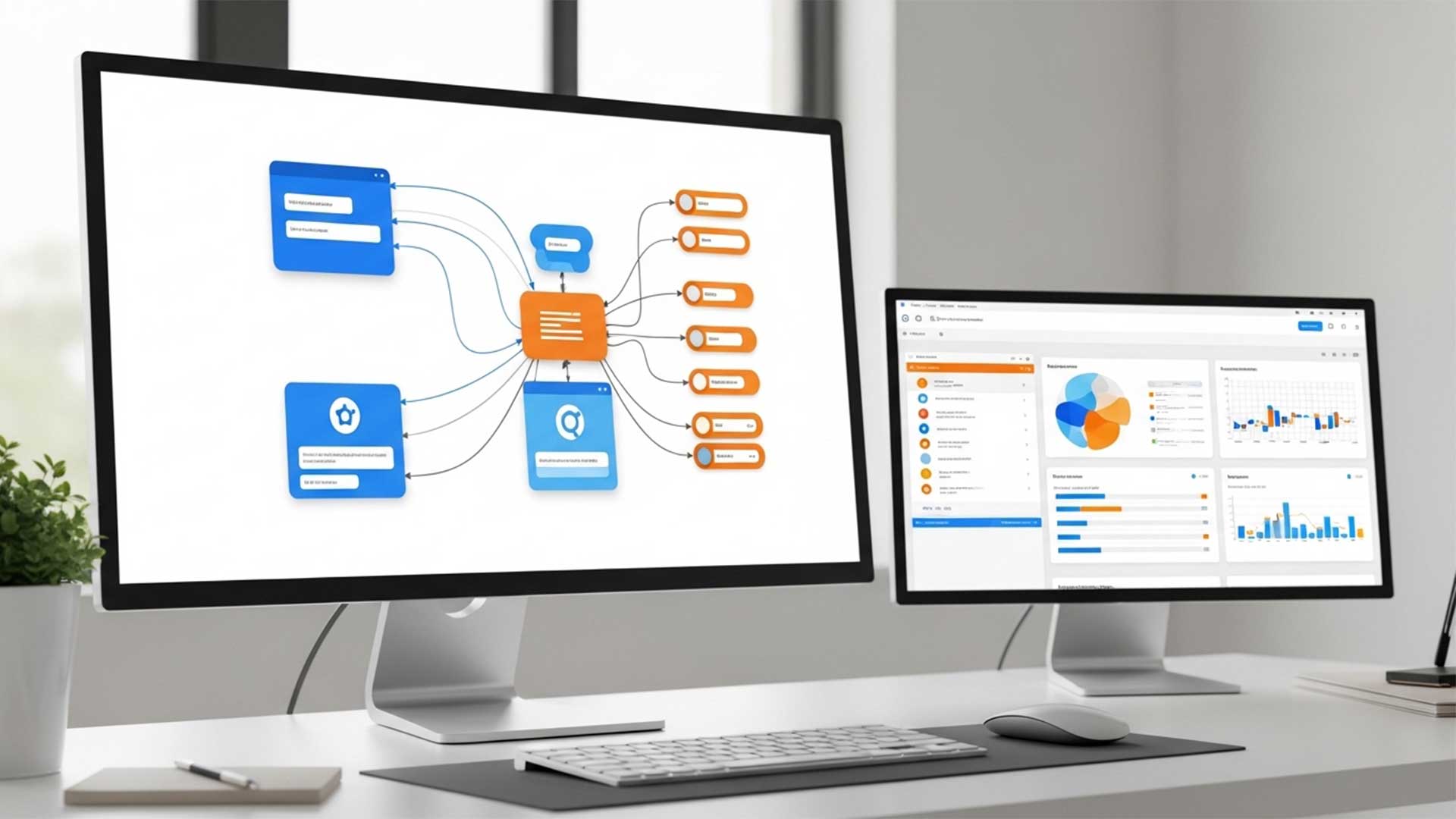
Your LMS doesn’t exist in isolation. It sits alongside your HRIS, your payroll system, your performance management platform, your SSO provider, and probably half a dozen other tools that manage different pieces of the employee lifecycle. When these systems talk to each other, training stops creating manual work. When they don’t, your L&D team spends hours on manual data entry, duplicate user management, and reporting that requires pulling data from three different platforms and reconciling it in a spreadsheet.
LMS integration isn’t a luxury for large enterprises. It’s a practical necessity for any organization with more than a few hundred employees. Here’s what to connect, why it matters, and how to avoid the most common integration mistakes.
The four integrations that matter most
Not every possible integration is worth the effort. Focus on the four that eliminate the most manual work and produce the most operational value.
HRIS integration is the highest priority. Your HRIS — whether it’s Workday, BambooHR, ADP, SAP SuccessFactors, or another platform — is the system of record for employee data. When someone is hired, changes roles, transfers departments, or leaves the organization, the HRIS knows first. Without an LMS integration, someone on your team has to manually create LMS accounts for new hires, update roles and departments when people move, and deactivate accounts when people leave. At scale, this becomes a full-time job that’s prone to errors and delays.
With HRIS integration, user provisioning happens automatically. A new hire appears in the HRIS on day one and their LMS account is created automatically with the correct role, department, and location. When they transfer, their learning path updates. When they leave, their access is deactivated. No manual intervention, no delays, no forgotten accounts.
SSO integration is the second priority. Single Sign-On means learners access the LMS with the same credentials they use for everything else — their company email and password, their Microsoft 365 login, their Google Workspace account. Without SSO, learners need a separate username and password for the LMS, which they’ll forget, which creates help desk tickets, which creates friction that reduces training adoption.
SSO also enables something more valuable than convenience: it makes the LMS accessible from any corporate portal. You can embed training links in the intranet, in email communications, or in other systems, and learners click through without hitting a login wall. Every removed login step increases the number of people who actually reach the content.
Performance management integration is the third priority. When your LMS talks to your performance management platform, training completion data flows into performance reviews automatically. Managers can see which development activities their team members have completed. Learning goals set during performance reviews can link directly to LMS courses. And the organization can correlate training participation with performance outcomes at scale.
Reporting and analytics integration is the fourth. Most organizations need training data in a centralized reporting platform — Power BI, Tableau, or even a well-structured data warehouse. When LMS data flows into your analytics environment alongside HRIS data, performance data, and operational metrics, you can answer questions that no single system can answer alone: does training completion correlate with performance ratings? Do teams that complete safety training have lower incident rates? Does onboarding training predict retention?
The common integration mistakes
The technology of integration is usually straightforward — most modern LMS platforms support standard APIs, SCIM provisioning, and SAML-based SSO. The mistakes happen at the planning level.
The first mistake is not defining the data flow before building the connection. Which system is the source of truth for each data field? Does the HRIS push data to the LMS, or does the LMS pull it? What happens when data conflicts — if someone’s department is different in the HRIS than in the LMS, which one wins? These questions need answers before any technical work begins.
The second mistake is integrating everything at once. Start with HRIS and SSO — they deliver the most value with the least complexity. Add performance management and analytics integrations once the foundational connections are stable. Trying to connect everything simultaneously creates debugging nightmares when something breaks and you can’t isolate which integration caused the issue.
The third mistake is not testing with real data. Integration testing with five sample records works differently than integration with five thousand real records. Real records include edge cases: employees with multiple roles, contractors with different access levels, international employees with characters in their names that break text encoding, or terminated employees who still appear in one system but not the other.
Build for maintenance, not just launch
Integration isn’t a one-time project. It’s an ongoing operational responsibility. Systems update. APIs change. Business rules evolve. The integration you build today will need maintenance tomorrow.
Document everything. When your integration architect leaves the company — and eventually they will — someone else needs to understand what’s connected, how data flows, what the error handling looks like, and who to contact at each vendor when something breaks.
Build monitoring and alerts. You need to know when the integration fails — not three weeks later when someone notices that new hires haven’t been appearing in the LMS. Automated alerts for failed syncs, data mismatches, and connection errors save hours of manual investigation.
Plan for the next system change. Organizations change LMS platforms, switch HRIS providers, and adopt new tools regularly. Build integrations with standard protocols — SCIM for user provisioning, SAML or OIDC for SSO, REST APIs for data exchange — so that when a system changes, the integration can be redirected rather than rebuilt from scratch.
The ROI conversation
LMS integration has a clear and quantifiable ROI. Calculate the hours your team currently spends on manual user management, reporting reconciliation, and help desk tickets for login issues. Multiply by the hourly cost. That’s your annual cost of not integrating.
Most organizations find that HRIS and SSO integration alone saves 10 to 20 hours per week of administrative work — depending on organization size and hiring velocity. At a fully loaded cost of $40 to $60 per hour, that’s $20,000 to $60,000 per year in recovered capacity. The integration typically costs less to implement than a single year of the manual work it replaces.
Present this to stakeholders as a capacity recovery investment, not a technology project. You’re not buying integration — you’re buying back your team’s time to focus on work that actually improves training outcomes.